
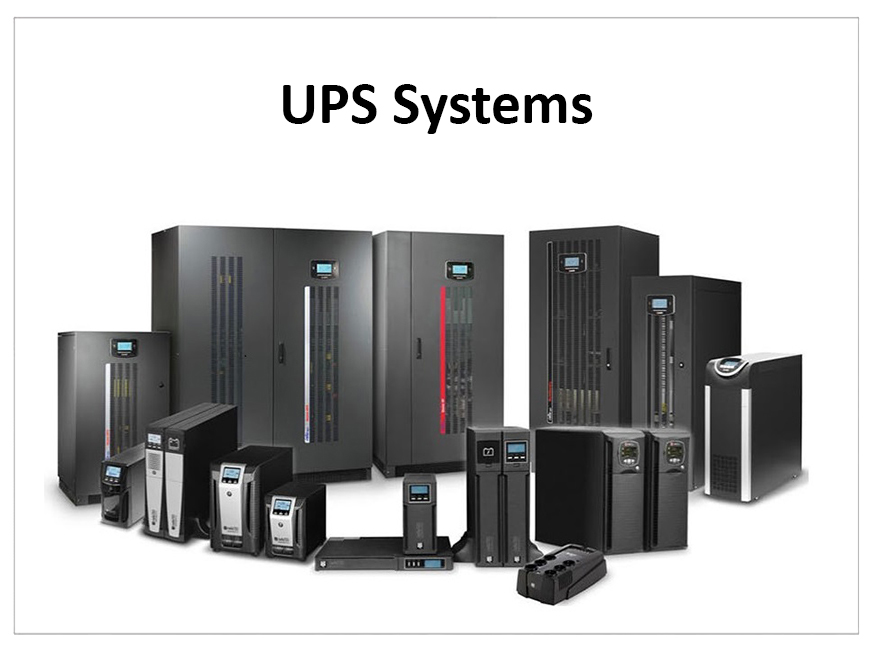
UPS Systems in Nepal: A Complete Guide to Choosing and Maintaining the Right UPS
Power interruptions and voltage fluctuations can disrupt your daily activities, damage sensitive electronics, and interrupt important work. Whether you use a computer at home, operate a business, or manage office equipment, a reliable Uninterruptible Power Supply (UPS) can help protect your devices and provide temporary backup power during outages.
In Nepal, where electricity interruptions and voltage variations can occur, choosing the right UPS is an important consideration for homes, offices, and businesses.
In this guide, we will explain how UPS systems work, the different types available, how to select the right capacity, and how to maintain your UPS for reliable performance.
1. What Is a UPS and How Does It Work?
A UPS (Uninterruptible Power Supply) is an electrical device that provides temporary backup power when the main electricity supply fails.
It typically uses an internal battery to supply power to connected equipment during an outage. Depending on the UPS type, it can also help protect devices against certain power disturbances, such as voltage fluctuations, surges, and electrical interruptions.
A UPS generally provides three important benefits:
- Backup Power: Keeps connected devices running temporarily during a power interruption.
- Equipment Protection: Helps protect compatible equipment against certain electrical disturbances.
- Safe Shutdown: Gives users time to save their work and properly shut down computers and other equipment.
A UPS is particularly useful for computers, networking equipment, office systems, security equipment, and other devices that require a stable power supply.
2. Different Types of UPS Systems
UPS systems are available in different designs. Understanding their differences can help you select a suitable system for your requirements.
A. Offline or Standby UPS
An offline UPS normally supplies power directly from the main electricity source. When a power interruption occurs, it switches to battery power.
Best suited for:
- Home computers.
- Basic office workstations.
- Personal electronics.
- Small equipment with lower backup requirements.
It is generally a practical option for users who need basic backup power.
B. Line-Interactive UPS
A line-interactive UPS provides battery backup and uses automatic voltage regulation (AVR) to help manage certain input voltage fluctuations without continuously switching to battery power.
Best suited for:
- Office computers.
- Small business equipment.
- Networking devices.
- Workstations that need additional voltage regulation.
It can be a suitable choice where voltage variations are a concern.
C. Online UPS
An online UPS uses a double-conversion process in which incoming AC power is converted to DC and then back to AC for connected equipment.
This design provides continuous power conditioning and typically offers no transfer delay when switching to its battery supply.
Best suited for:
- Servers and data equipment.
- Critical business systems.
- Sensitive electronic equipment.
- Applications requiring a more consistent power supply.
Online UPS systems are generally more expensive, so the additional protection should be matched to the equipment's requirements.
3. How to Choose the Right UPS Capacity
One of the most important considerations when purchasing a UPS is selecting the correct capacity.
UPS capacity is commonly expressed in VA (Volt-Ampere) or kVA (kilovolt-ampere), while the actual usable power is measured in watts (W).
Before selecting a UPS, consider the following:
A. Calculate Your Total Power Requirement
Make a list of all the devices you want to connect to the UPS.
For example:
- Desktop computer.
- Monitor.
- Router.
- Networking equipment.
- Other essential devices.
Check the actual power consumption of each device and calculate the total load in watts.
B. Consider the UPS Power Factor
VA and watts are not the same. The UPS power factor determines how much real power the unit can supply.
For example, a UPS rated at 1000 VA with a power factor of 0.8 can provide approximately 800 W of real power.
Always check the manufacturer's rated output capacity before connecting equipment.
C. Consider Future Requirements
If you expect to connect additional equipment in the future, consider a UPS with sufficient spare capacity.
Avoid operating a UPS continuously at its maximum rated load.
D. Determine Your Required Backup Time
Backup time depends on several factors, including:
- Battery capacity.
- Connected equipment load.
- Battery condition.
- UPS efficiency.
- Operating temperature.
A larger battery capacity may provide longer backup time, but the actual runtime should be checked against the manufacturer's specifications.
4. Why UPS Systems Are Important in Nepal
Electricity supply conditions can vary depending on location, infrastructure, and usage requirements.
A UPS can provide useful protection and continuity for customers who depend on electronic equipment.
Some common applications include:
Home Use
A UPS can help keep computers, routers, and other essential devices running during short power interruptions.
Offices and Businesses
Businesses often rely on computers, billing systems, networking devices, and other electronic equipment. A UPS helps reduce interruptions and gives employees time to save work.
IT Infrastructure
Servers, networking equipment, and storage systems may require reliable backup power to reduce the risk of unexpected shutdowns and data loss.
Security Systems
Compatible CCTV systems, network recorders, and security equipment can use UPS backup to maintain operation during electricity interruptions.
However, backup duration depends on the total connected load and battery capacity.
5. How to Maintain Your UPS for Better Performance
Purchasing a good UPS is only one part of ensuring reliable backup power. Regular maintenance is equally important.
Here are some important maintenance practices:
A. Check Battery Health Regularly
The battery is one of the most important components of a UPS.
Over time, batteries lose their ability to hold a charge. Regular battery checks can help identify deterioration before the UPS fails to provide adequate backup.
B. Keep the UPS in a Well-Ventilated Area
UPS systems generate heat during operation. Ensure that ventilation openings are not blocked and that the equipment is installed in a suitable location.
Excessive heat can reduce battery lifespan and affect system performance.
C. Avoid Overloading
Do not connect more equipment than the UPS is designed to support.
Overloading can cause alarms, unexpected shutdowns, overheating, or reduced backup performance.
D. Inspect Electrical Connections
Loose or damaged connections can affect performance and create safety risks.
Have electrical connections inspected by a qualified technician when necessary.
E. Follow Manufacturer Recommendations
Different UPS models have different battery types, charging requirements, and maintenance schedules.
Always follow the manufacturer's instructions for inspection, servicing, and battery replacement.
6. When Should You Replace Your UPS Battery?
UPS batteries do not last forever. Their lifespan depends on battery chemistry, operating temperature, charging conditions, usage, and maintenance.
Many sealed lead-acid UPS batteries have an approximate service life of 2–4 years under suitable operating conditions, although actual performance can vary.
You may need to inspect or replace your UPS battery if you notice:
- Significantly reduced backup time.
- Frequent low-battery warnings.
- Unexpected UPS shutdowns.
- Battery charging problems.
- Battery-related warning indicators.
- Physical swelling or leakage.
Do not continue using a damaged or swollen battery. Arrange a professional inspection and replacement where required.
Replacing a deteriorated battery at the right time helps maintain reliable backup power.
7. Why Professional UPS Maintenance Matters
UPS maintenance involves more than simply checking whether the device turns on.
A professional inspection can help identify battery deterioration, ventilation problems, electrical connection issues, and performance concerns.
Depending on the UPS model and service requirements, maintenance may include:
- Battery health assessment.
- Backup performance checks.
- Load testing.
- Electrical connection inspection.
- Ventilation and cooling inspection.
- General operating condition assessment.
Regular servicing can help identify potential issues early and reduce the risk of unexpected equipment failure.
8. UPS Maintenance Services from Sabal Suppliers
At Sabal Suppliers, we understand the importance of reliable power backup for homes, offices, and businesses.
We offer UPS maintenance services to help customers maintain their equipment and identify potential performance issues.
Our UPS maintenance support may include battery health checks, load testing, ventilation cleaning, electrical inspections, and general performance assessment.
Whether you need a routine maintenance visit or assistance with a UPS that is not providing sufficient backup, our team can help assess your requirements.
Contact Sabal Suppliers to discuss your UPS maintenance needs and service availability.
9. Final Thoughts
A UPS is an important investment for anyone who depends on electronic equipment and requires backup power during electricity interruptions.
Choosing the correct UPS capacity, understanding the available technologies, and maintaining the battery properly can help improve reliability and extend the useful life of your equipment.
Before purchasing a UPS, evaluate your power requirements, backup duration, connected equipment, and installation environment.
For UPS maintenance and related assistance, Sabal Suppliers is here to help.
Need assistance with UPS maintenance? Contact Sabal Suppliers today to discuss your requirements.